
Sprint Retrospective Guidelines
Introduction
This document outlines how to run effective sprint retrospectives.
The responsibility for organising sprint retrospectives sits with the Audacia PM / Scrum Master.
Internal / external retrospectives
Internal retrospectives include the internal delivery team i.e. Audacia colleagues only. External retrospectives include the client delivery team too i.e. the Product Owner, SMEs, user acceptance testers and potentially other stakeholders too.
There are pros and cons in each case. Naturally it is important that we listen to and address any process improvements or blockers identified by the client delivery team. However, it is also useful to have internal retrospectives since these allow people to speak freely, and shield client team members from in-depth technical discussions that do not concern them.
It is recommended that all projects employ a mixture of both. As an example, it might be that full-team retrospectives are run monthly, while the internal retrospectives happen fortnightly.
Common pitfalls
The most common pitfalls we observe when running retrospective meetings:
- People praise the good work done by others, but are not specific about what we’ve done right that we need to keep doing.
- People identify learning points, but these are not captured as actions to take forward.
It’s vital that we are specific with praise and that we record and address the actions identified.
Tooling and approach
There are multiple valid approaches for running sprint retrospective meetings e.g.
-
Use a collaborative diagramming tool, such as Figjam (using Audacia accounts, not a personal account).
-
Use the
Retrospectivesextension that can be integrated into Azure DevOps. -
If the team are meeting in person - Post-it notes on a board.
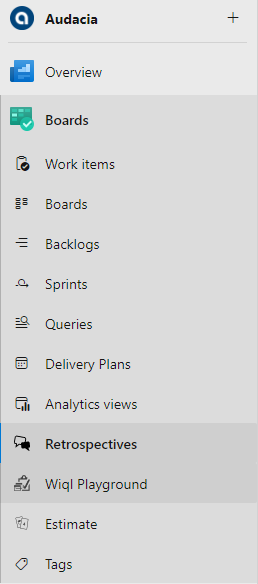
Teams are welcome to use whichever approach they are most comfortable with and which they feel promotes the most effective collaboration. Changing the tool/approach used can even be a useful way to shake things up and promote fresh feedback.
- Always avoid just verbally asking people whether they have any feedback to share. This does not tend to work, because the “loudest voices” end up being the only people who provide input, and the process does not naturally promote full participation or effective prioritisation.
- Instead of the Project Manager running each retrospective, it might be better to have a rota or get a different team member to lead. The lead should be willing to cut conversations short so that we can focus on actions that can be taken, rather than these turning into vague moaning / praise sessions.
- Rather than capturing thoughts during the retrospective, open this up before the meeting so that people can capture things they’d like to discuss during the sprint, rather than live in the meeting.
Retrospective structure
Regardless of tooling, the structure is essentially as follows:
- Highlight the prime directive
- Collect feedback - Ask all team members to write cards (Figjam, Miro, Azure DevOps Retrospective extension) or notes (in-person Post-it notes process).
- Group feedback - If multiple people raise closely related feedback, group these together such that they can be voted on and discussed together.
- Vote on feedback - Ask team members to identify the items they think caused most pain, or successes we’re most keen to celebrate and keep doing.
- Act on feedback - Discuss the feedback and agree resulting actions, prioritising discussion around the items that have the most votes. If mitigation cannot be identified as part of the retrospective, it’s perfectly acceptable to agree to take this offline and identify resulting actions as part of a separate discussion.
Prime directive
The prime directive is a statement that the Scrum Master should highlight at the start of each retrospective to remind people of what we’re trying to achieve and to set the tone for the meeting.
“Regardless of what we discover, we understand and truly believe that everyone did the best job they could, given what they knew at the time, their skills and abilities, the resources available, and the situation at hand.”
Collecting feedback
Feedback can be captured under 3 banners:
- What went well that we want to keep doing?
- What problems did we face that we want to take action to avoid next time?
- How can we improve next time?
It is absolutely critical that we attempt to identify the actions we will take to either keep doing the things we’ve done well, or to mitigate the issues experienced. There is no value in complaining about issues without agreeing a plan to tackle them.
Teams are strongly encouraged to deliberately change the format of retrospectives to avoid things becoming stale. Don’t be afraid to play with the phrasing of the questions in order to try and tease out different feedback. As an example, some people utilise the “4 Ls” (Liked, Lacked, Learned, Longed-for), or “Glad / Sad / Mad”.
Capturing actions
The sprint retrospective is not the correct vehicle for monitoring the actions that have been raised as a result of feedback.
As soon as actions have been identified, they should either be raised as actions in the project tracker, or raised as PBIs as applicable.
Reviewing past discussions
Don’t be afraid to spend some time updating people on the actions that emerged from past retrospective sessions. This can help reassure people that their feedback is being heard and acted upon, which can improve the level of engagement.
Data-driven analysis
Where applicable, aim to support qualitative feedback with quantitative analysis. For example, if there is a perception that lots of bugs are being raised, it may be useful to agree to monitor stats and discuss again soon once the numbers are to hand - to help ensure we are making evidence based decisions rather than acting on a gut-feel / holistic view.